Save the internet.
Ask it anything.
Jelli turns the posts, videos, restaurants, ideas, and links you already save into searchable personal context.
Opens TestFlight — no email required.
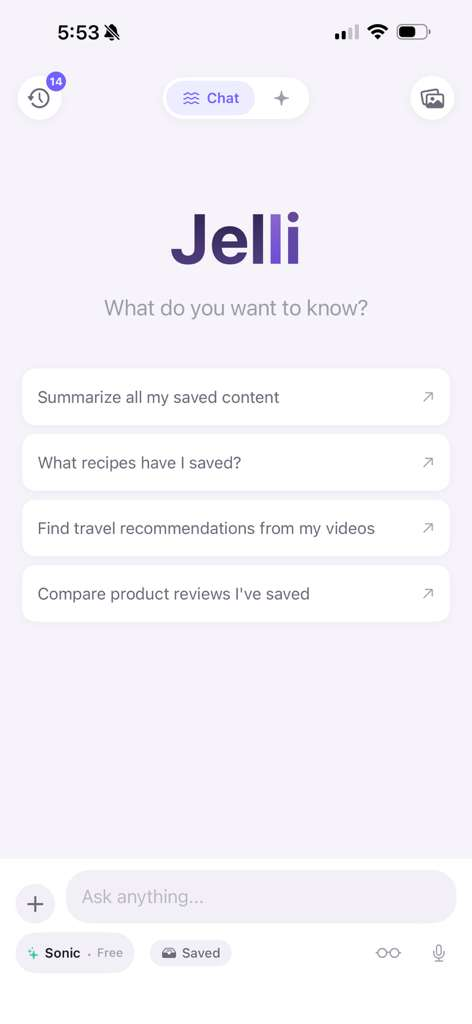
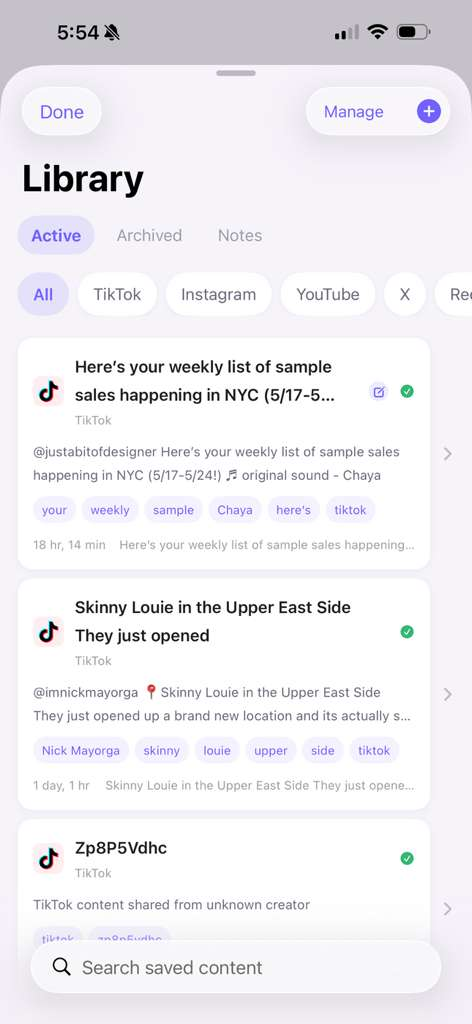
Jelli is live inside TestFlight.
Tap below to install the beta on your iPhone. No email needed — just TestFlight and iOS.
Your best saves are trapped
in other apps.
You save restaurants, recipes, products, travel ideas, workouts, and videos you swear you'll come back to. Then they disappear into messy folders, endless bookmarks, and algorithms that never help you find them again.
Bookmarks are scattered
TikTok saves here. Instagram folders there. Screenshots in Photos. Group chats. Notes app. Browser tabs from 4 months ago.
Search is broken
Try finding that one sushi spot a friend sent you in a Reel. You won't. The algorithm doesn't remember either.
You can't ask questions
There's no way to say "compare the skincare videos I saved" or "what bars did I bookmark in Brooklyn?". Until now.
Jelli reads your saves for you.
Share a link. Jelli does the rest — transcribing, tagging, organizing, and making everything you've ever saved instantly askable.
Transcribes videos
Every word from every TikTok, Reel, and Short — searchable.
Extracts captions, creators & comments
The full context, not just the clip.
Finds places, products & recipes
Jelli pulls out the things you actually wanted to remember.
Organizes into smart categories
Restaurants, travel, recipes, products — sorted automatically.
Ask anything across your saves
Your personal memory, answered in plain English.
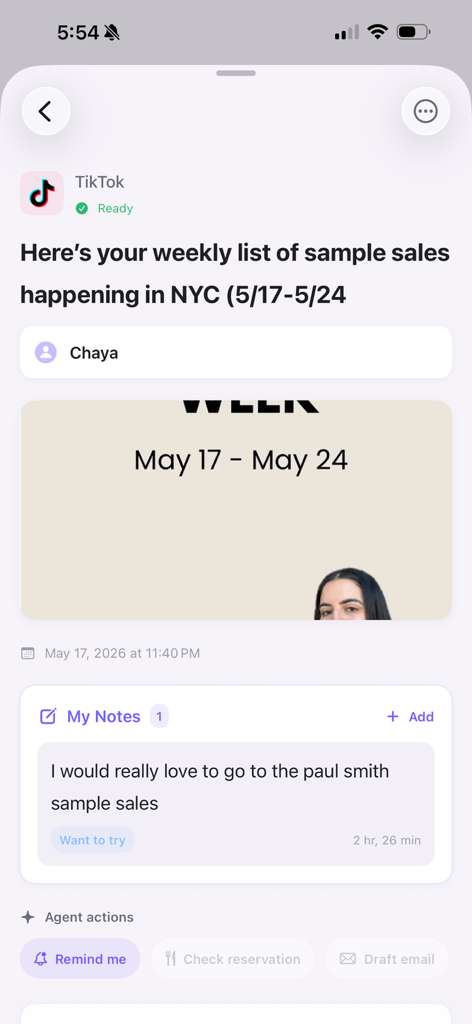
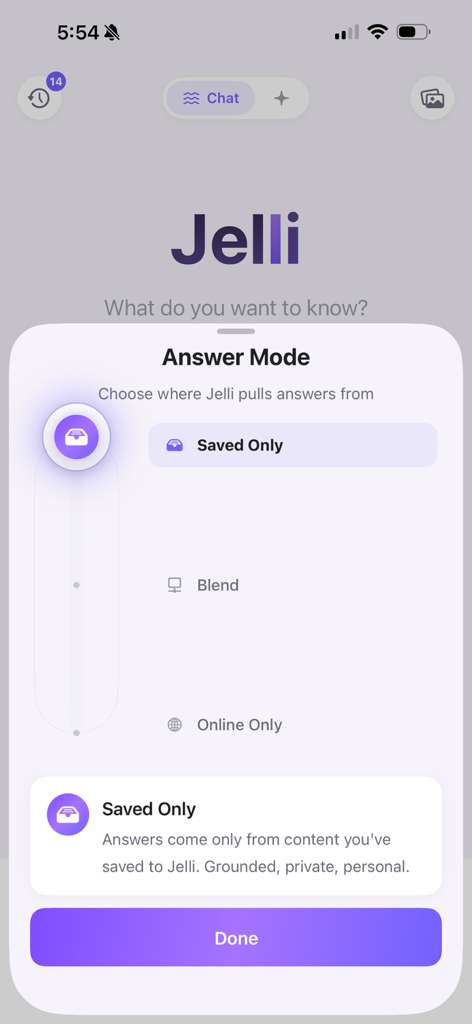
Three steps. Zero filing.
Save from anywhere
Use the iOS share sheet to send TikToks, Reels, Shorts, links, and more into Jelli.
Jelli understands it
We transcribe, read captions, pull out places, products, recipes, and key takeaways.
Ask it later
Search, chat, summarize, compare — and actually use the things you saved.
Get set up in under a minute.
Jelli lives inside your iOS share sheet — no copy-pasting, no switching apps. Here's exactly how to save your first post and what happens next.
Part 1
Add Jelli to your share sheet
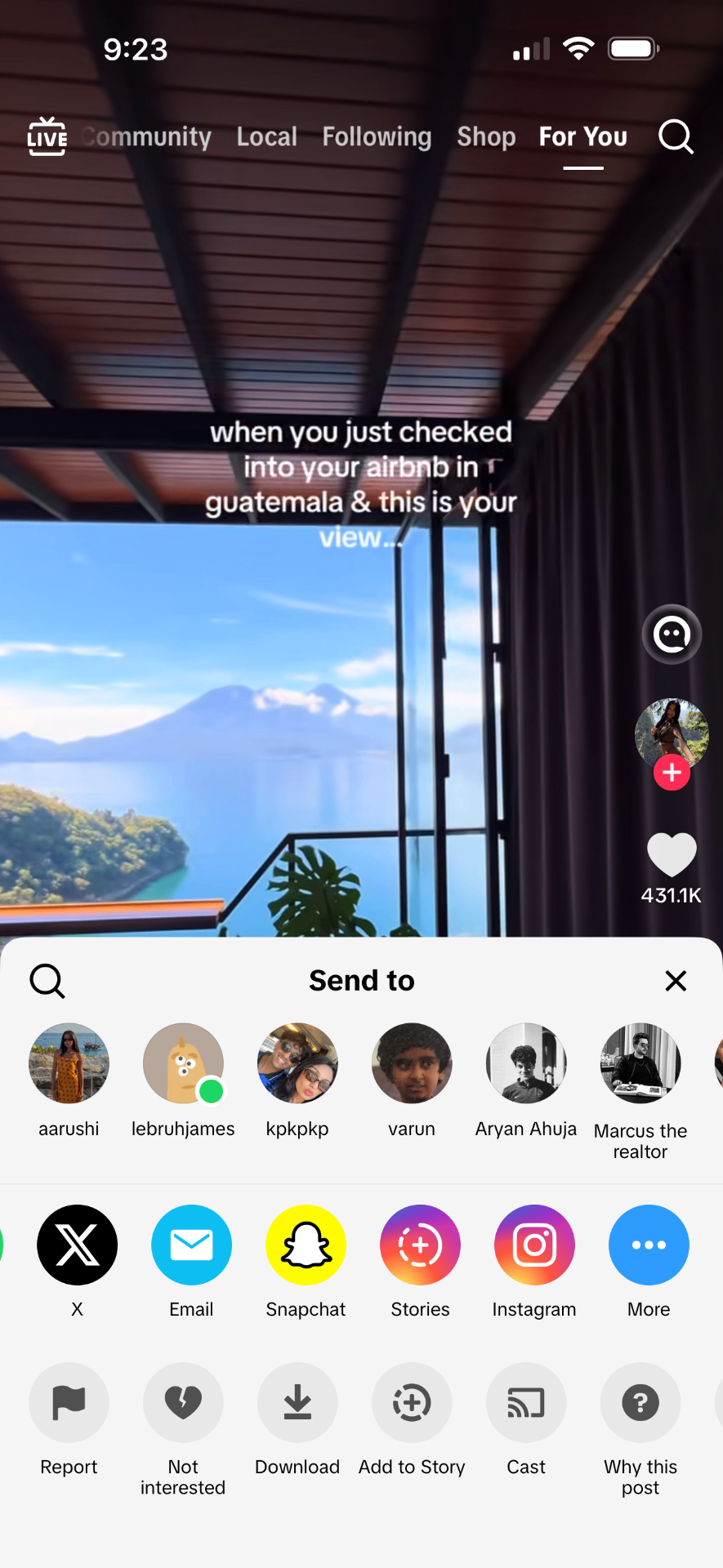
Tap Share on any post
On TikTok, Instagram Reels, YouTube Shorts, X, or Safari — hit the native share button on the content you want to save.
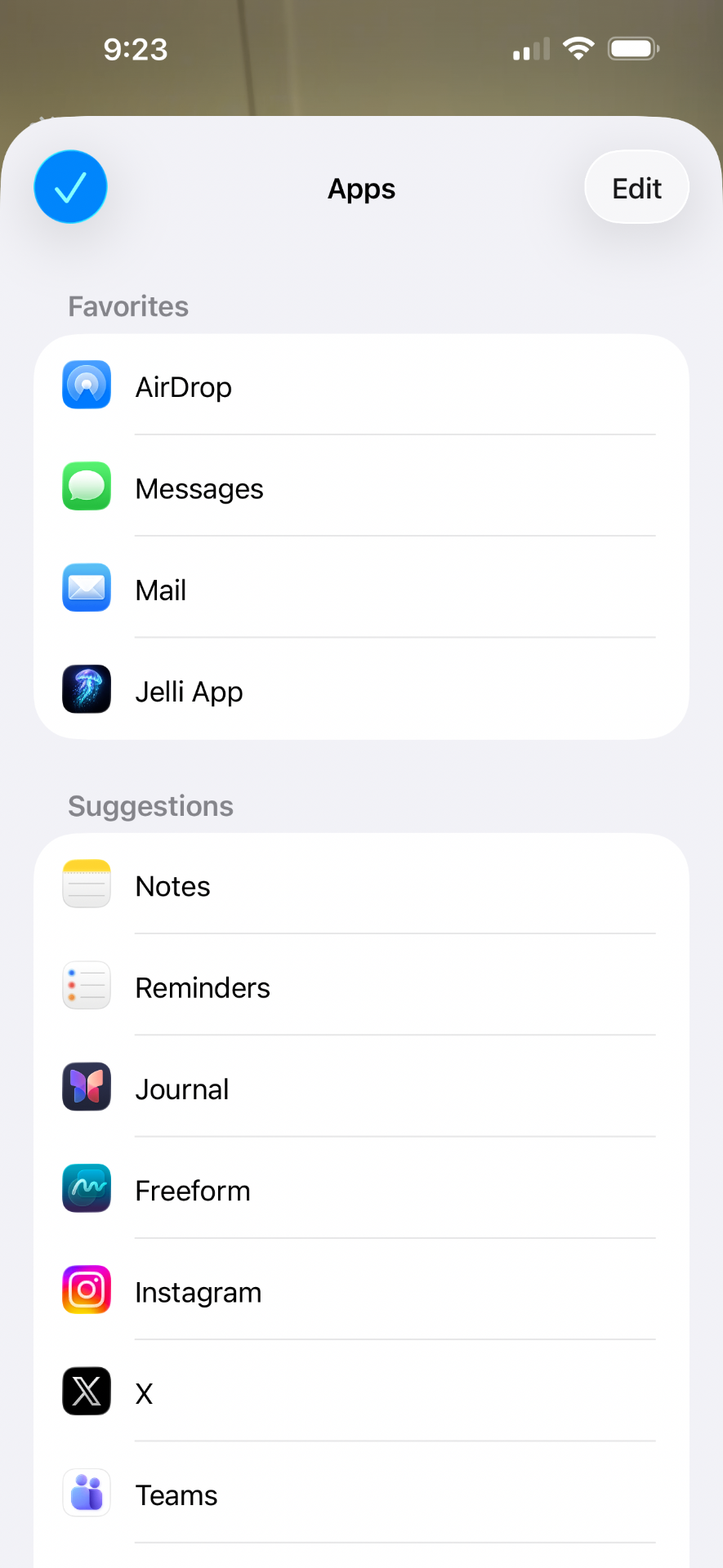
Scroll to the end and tap More
iOS hides new share destinations behind the More button. Scroll the app row all the way right and tap More to see every option.
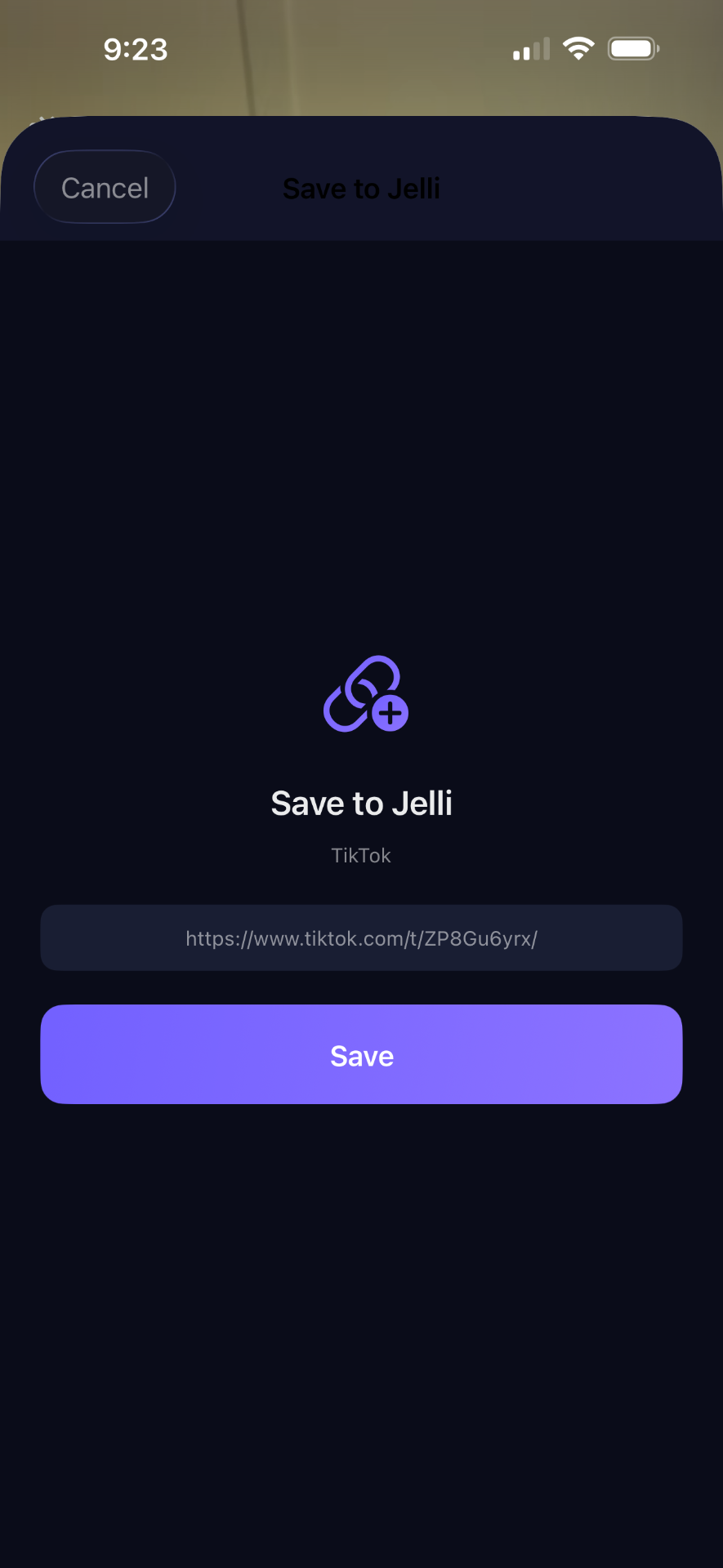
Pin Jelli to Favorites, then save
Tap Edit, add Jelli to Favorites (look for the jellyfish icon), and next time it's one tap. The link opens Jelli's Save sheet — hit Save and you're done.
Pro tip: Once Jelli is in Favorites it appears at the top of every share sheet across every app — TikTok, Reels, Shorts, X, Safari, Threads, and more. One tap saves the link and Jelli takes it from there.
Part 2
What Jelli does with your saves
Jelli reads it for you
We transcribe the video, pull captions, creators, places, products, and key takeaways — automatically.
Places drop onto your map
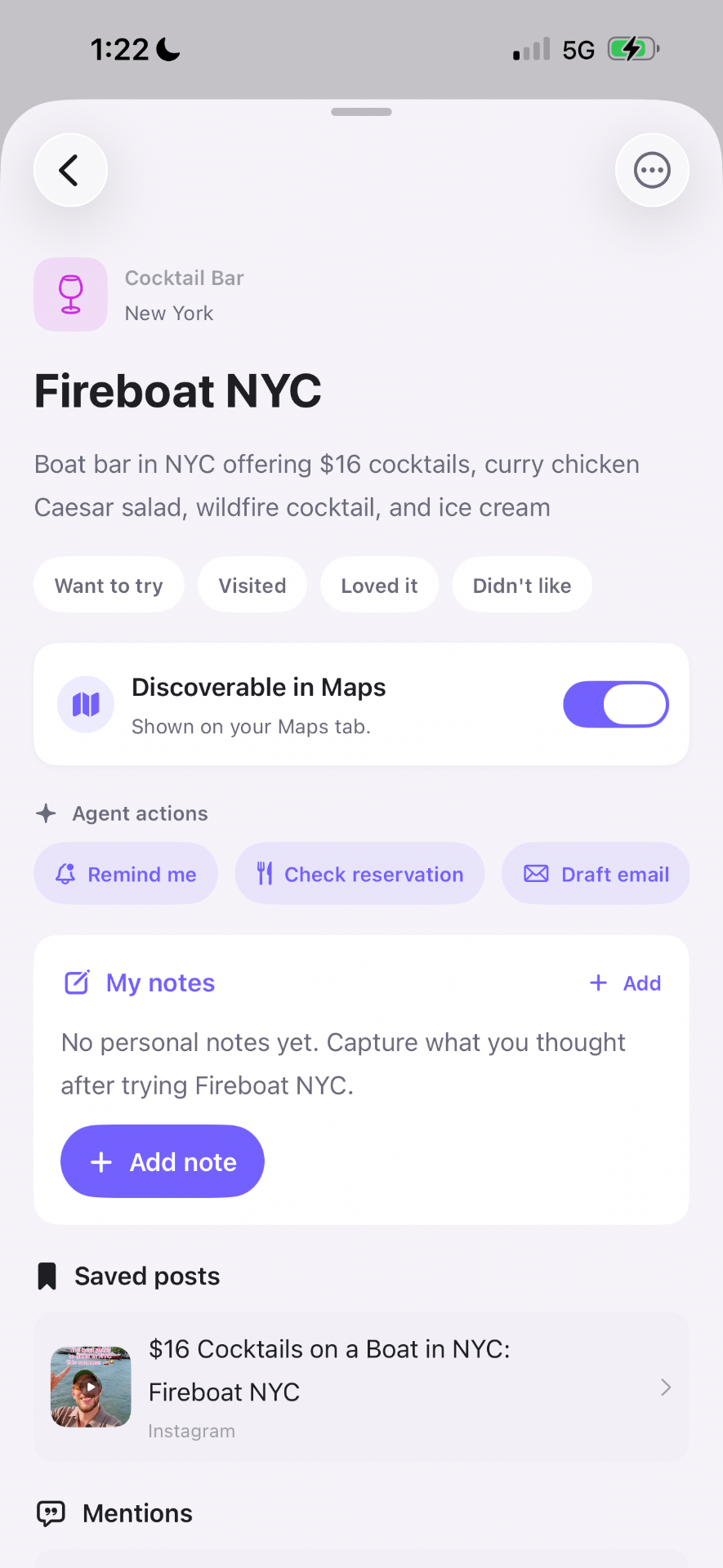
Every restaurant, bar, cafe, and spot from your saves lands on your personal Jelli Map — see what's near you in real time.
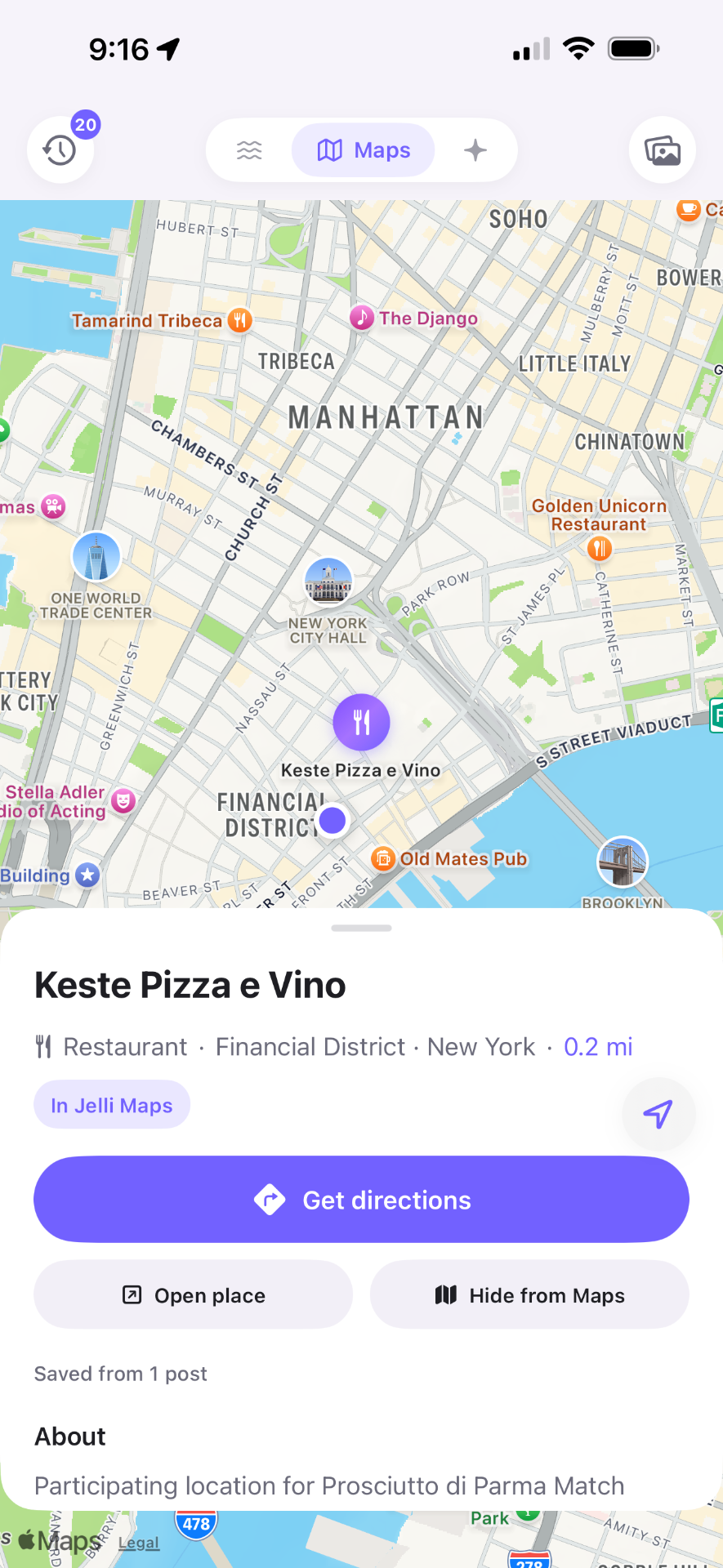
Open a place, take action
Tap any saved place to add notes, set reminders, mark it as visited, or trigger agent actions like drafting a reservation email.
Then just ask.
Open Jelli, tap Chat, and ask anything about what you've saved. Answers are grounded in your own library — never generic.
- • "What restaurants have I saved in Brooklyn?"
- • "Summarize the skincare reviews I saved this month."
- • "Which recipes I saved use miso?"
Built for everything you save.
"What sushi spots have I saved in NYC?"
"Summarize my Bali recommendations."
"What recipes have I saved?"
"Compare the skincare reviews I saved."
"What things to do in New York have I saved?"
"Remind me to try this place later."
Ask questions across your saves.
Every answer is grounded in content you saved. No hallucinated restaurants. No generic recs. Just your taste, organized.
- • Skinny Louie — new opening, Nick Mayorga rec
- • Scarr's Pizza — slice from your saved Reel
- • Wildair — natural wine, saved 3 weeks ago
- • Dimes — brunch list
- • Kiki's — saved twice 👀
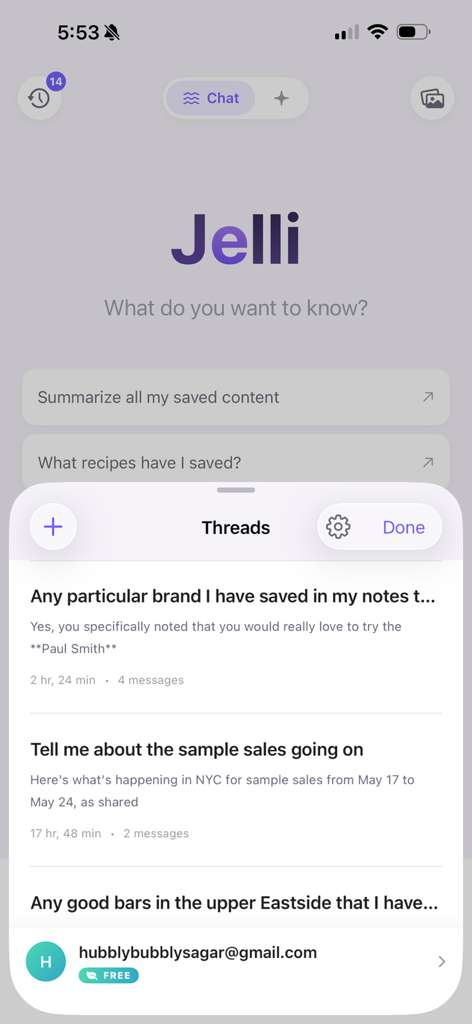
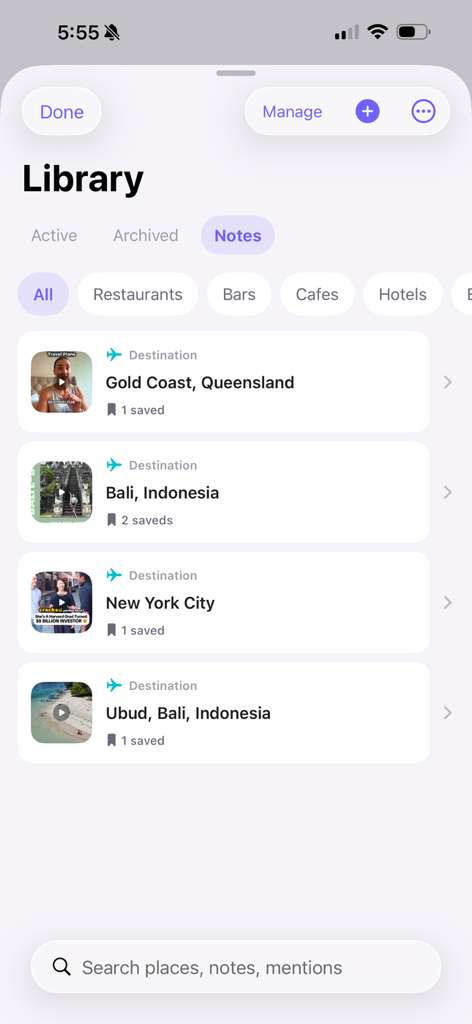
From random saves to a
personal knowledge base.
Jelli auto-sorts everything you save into the categories that actually match how you think.
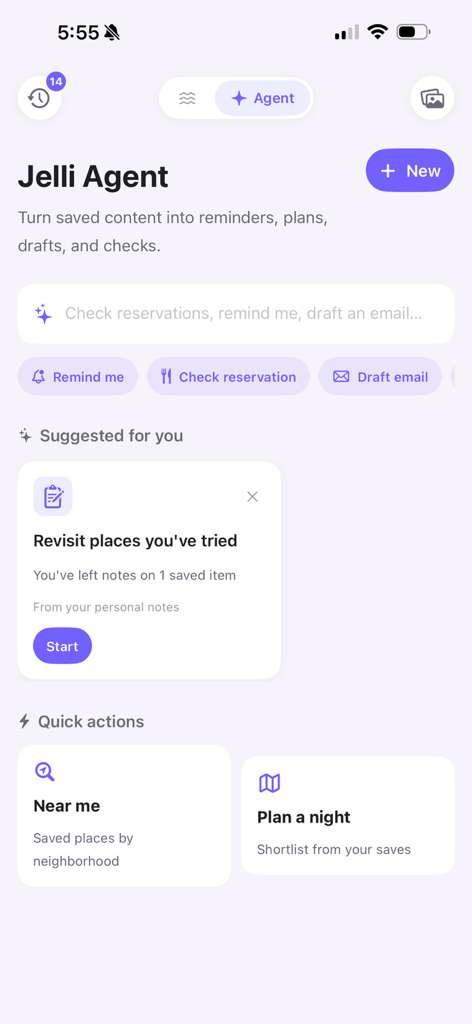
Turn inspiration into action.
Jelli helps you remember the places, products, and ideas you wanted to come back to. Set reminders, add notes after you go, and plan around what you've saved.
- Save places you want to try
- Add notes after you go
- Set reminders for later
- Plan from your saved content
Step inside Jelli.
Ready to try it? Tap below to install the Jelli beta on your iPhone through TestFlight.
iOS only · TestFlight required